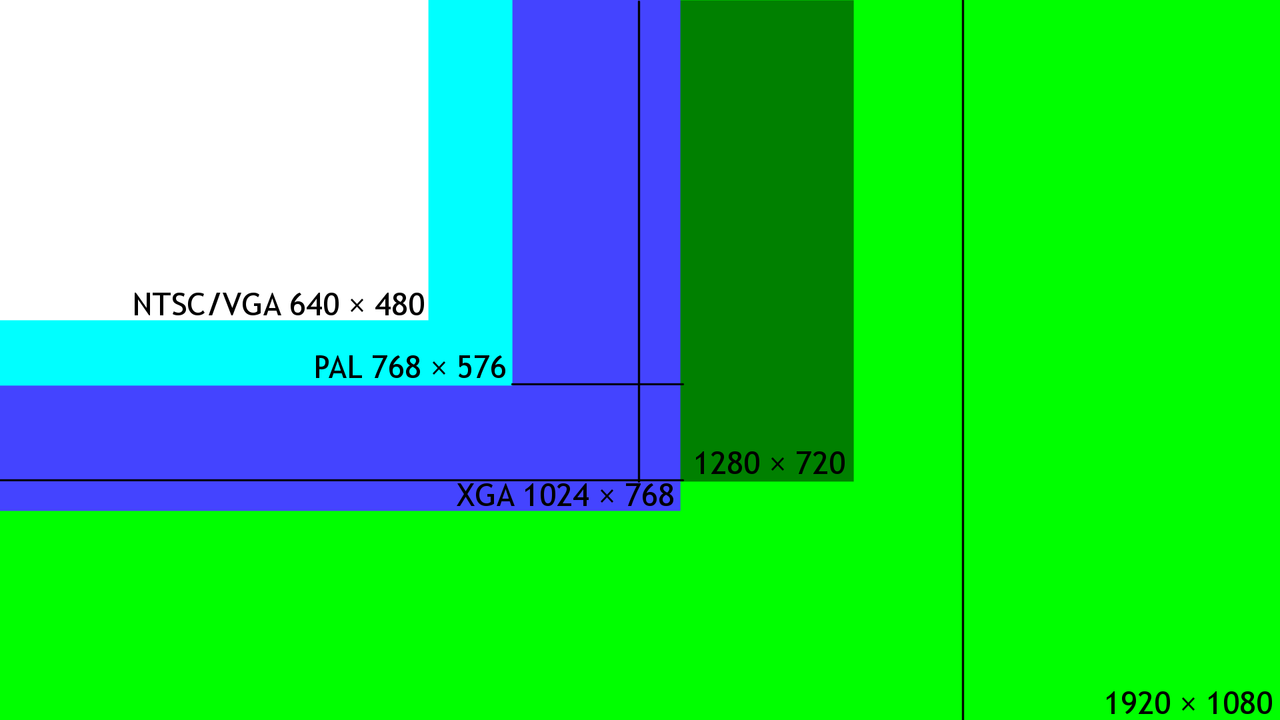
Nested rectangles, all different sizes. Your model learned one of them, and it has opinions about the rest.
Nested rectangles, all different sizes. Your model learned one of them, and it has opinions about the rest.
The width and height boxes decide more about your picture than half your prompt does, and almost nobody touches them on purpose.
You wanted a sharper portrait, so you did the obvious thing. You changed 1024 to 1536 in both boxes and hit generate. What came back was not sharper. It was softer, oddly stretched, and somewhere around the shoulder there was a second arm that had no business being there. So you blamed the prompt and spent forty minutes rewriting it.
The prompt was fine. You moved the picture off the only canvas the model has ever seen.
Diffusion models are trained on images at specific pixel dimensions, and that training resolution becomes the size the model is genuinely fluent at. Stable Diffusion 1.5 was trained on 512 pixel images. SDXL was trained at 1024 pixels, with support for fifteen or more aspect ratios built on top of that. Flux Dev works at 1024 by 1024, roughly one megapixel, and it wants its dimensions in 32 pixel increments.
| Model | Native training size | What that means for you |
|---|---|---|
| Stable Diffusion 1.5 | 512 pixels | 512x512 is home. Anything much past it starts fighting the model. |
| SDXL | 1024 pixels, 15 or more supported aspect ratios | 1024x1024 is home, and there is a published list of other shapes it also knows. |
| Flux Dev | 1024x1024, about 1.0 megapixel | Same neighbourhood, and it expects dimensions in 32 pixel steps. |
Notice what all three have in common. Every one of them lands near a fixed pixel budget rather than a fixed shape. That budget is the real constraint, and it is the thing to keep in your head when you reach for the dimension boxes.
SDXL is the interesting case because its supported aspect ratios are documented rather than folklore. The commonly cited working list is 1024x1024, 1152x896, 896x1152, 1216x832, 832x1216, 1344x768, 768x1344, 1536x640 and 640x1536. The model's own paper goes further, listing training resolutions in an appendix that runs from 512x2048 at a ratio of 0.25, through 1024x1024 at 1.0, 1152x896 at 1.29, 1280x768 at 1.67, 1408x704 at 2.0, 1536x640 at 2.4 and 1600x640 at 2.5, out to 2048x512 at 4.0.
Run the multiplication on any of those and the same answer keeps appearing. 1024 times 1024 is 1,048,576 pixels. 1216 times 832 is 1,011,712. 1536 times 640 is 983,040. The shapes change dramatically, from square to a 4:1 panorama, but the pixel count barely moves. SDXL handles a wide range of aspect ratios well as long as the total pixel count stays close to that one megapixel target.
Here is the mechanism behind that second arm. When a model is pushed well beyond its training resolution, it stops being able to hold the whole frame in one coherent thought. Generation ends up behaving patch by patch, and inside any individual patch the content makes perfect sense. Stitch all those locally sensible patches together and there is no guarantee they agree with each other about where the body is.
Documented results form a specific family of failures: duplicated structures, malformed anatomy, merged limbs, incorrect limb counts, physically implausible geometry, unnatural highlights and awkward framing. Scaling to 1024 pixels and beyond can produce tiling artifacts precisely because the model was trained at 512, and it struggles to maintain coherence across patch boundaries. This is also why so many negative prompts in circulation are stuffed with words like duplicate and extra limbs. Those prompts are patching over a resolution problem with vocabulary.
It is worth saying plainly that the model is not malfunctioning when this happens. It is doing exactly what it learned to do, at a size it never learned to do it at.
What fixes it is not a better prompt. It is generating at native size and then enlarging in a second step, because upscaling from native resolution often produces better results than generating at high resolution directly.
That second step is what the hires fix does in a WebUI. Your image is generated small and coherent, enlarged, then sampled a second time so the model can add detail into the new pixels. The dial that decides how much freedom it gets is denoising strength, and this is where most people go wrong: a denoising strength of 0 changes nothing at all, while a value near 1 changes the image substantially. A1111 ships with 0.7 as the default, which tends to be too strong in a lot of cases, and a common recommendation is to start between 0.3 and 0.5 and move from there based on what you actually see.
Read that as a composition control rather than a sharpness control. Low values preserve the picture you already liked and just clean it up. High values invite the model to reinterpret it, which is fine when the first pass was a rough idea and disastrous when it was the shot you wanted. If you want to go deeper on the enlargement stage itself, our upscaling and detail enhancement guide covers upscaler choice, and the finishing workflow guide puts it in order with grading and export.
Honest counterpoint: the one megapixel rule is a starting position, not a law, and treating it as sacred will cost you work. Fine-tuned checkpoints and community models are frequently trained further at other sizes, and a specific model you love may genuinely be happier at dimensions the base model never saw. Some subjects also tolerate over-resolution far better than others: a landscape, a texture study or an abstract has no anatomy to duplicate, so the failure mode that ruins a portrait may never appear at all. And an occasional strange render at an unsupported size is a legitimate way to find compositions you would not have prompted for.
So break the rule deliberately. The point of knowing where home is has never been to stay there. It is so that when a render comes back wrong, you can tell the difference between a prompt that failed and a canvas the model was never taught to paint on.
Training resolutions for Stable Diffusion 1.5 at 512 pixels, SDXL at 1024 pixels with fifteen or more supported aspect ratios, and Flux Dev at 1024x1024 with 32 pixel increments, along with the statements that images generated at non-native resolutions may show artifacts or reduced quality and that upscaling from native resolution often produces better results than generating at high resolution directly, were read today from a published width and height reference. The working SDXL resolution list and the appendix training resolutions with their aspect ratio values, plus the guidance that SDXL works well across aspect ratios that hold roughly one megapixel, were read today from current SDXL resolution documentation. The description of high-resolution failure modes, including duplicated structures, malformed anatomy, merged limbs and incorrect limb counts, the patch coherence explanation, and the note that tiling artifacts at 1024 pixels and above trace back to the 512 pixel training resolution, were read today from two independent sources covering resolution artifacts in diffusion models. The denoising strength figures, that 0 has no effect, that values near 1 change the image considerably, that A1111 defaults to 0.7 and that 0.3 to 0.5 is a common starting range, were read today from hires fix documentation and guides. Pixel-count multiplication shown above was performed here from those published dimensions. No claim is made about any specific fine-tuned checkpoint's training resolution, because that varies per model and was not tested.